Write Query
The Write Query screen is the primary interface of NimbusQL. It allows you to compose SQL queries using SuiteQL syntax, with support for multi-level joins and combining datasets.
Writing a Query
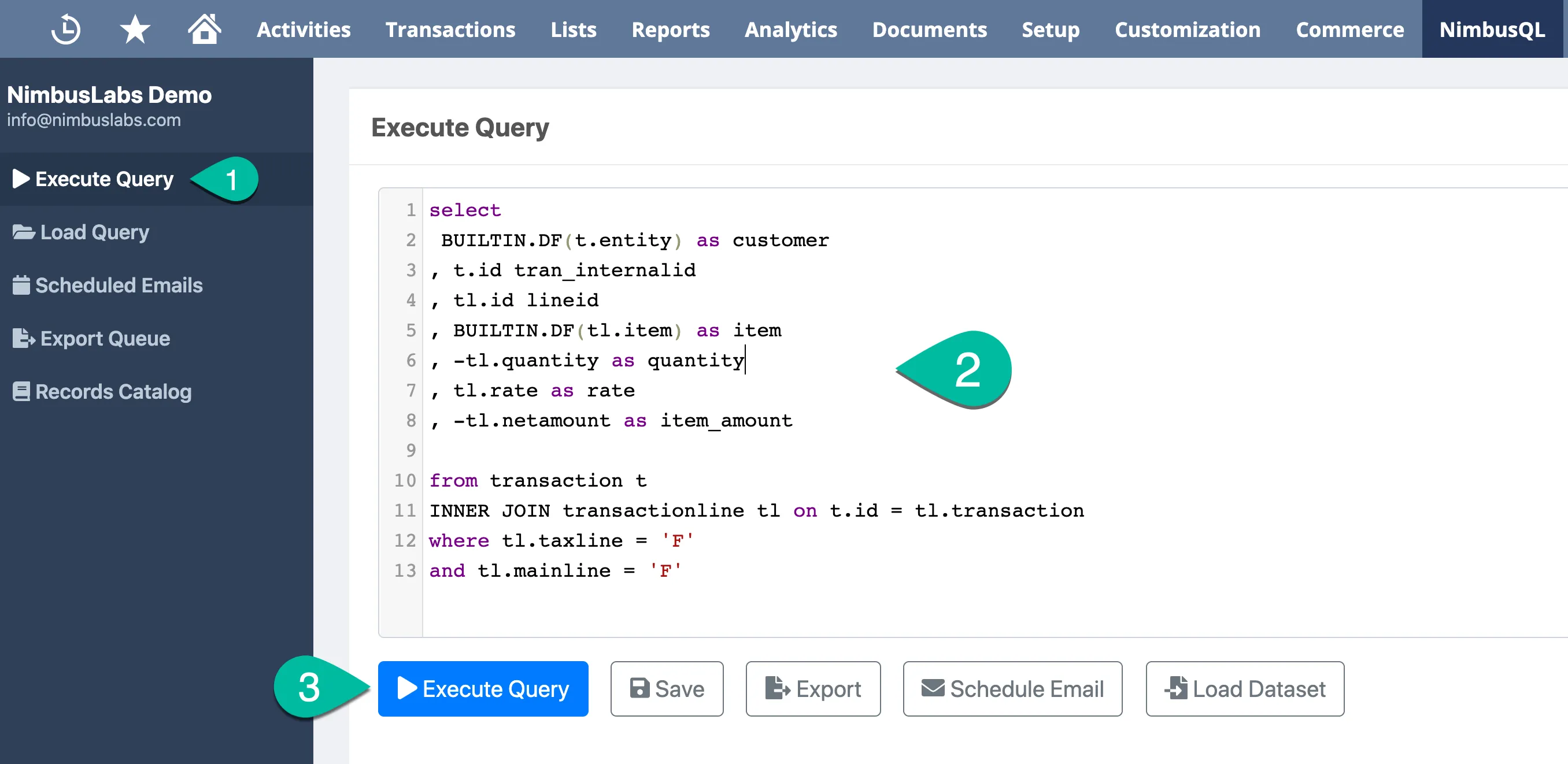
Section titled “Writing a Query”- Navigate to NimbusQL in your NetSuite menu
- Click Write Query to open the query editor
- Enter your SuiteQL query in the editor
- Click Execute to run the query and view results
Successful runs are saved in Query History. Click History to reopen a previous query.
Reuse SuiteQL fragments with Snippets. Click Snippets to insert a saved snippet, or highlight text and click Create Snippet.
Browse records and fields with Schema Explorer. Click Schema to open the panel beside the editor.
Using Autocomplete
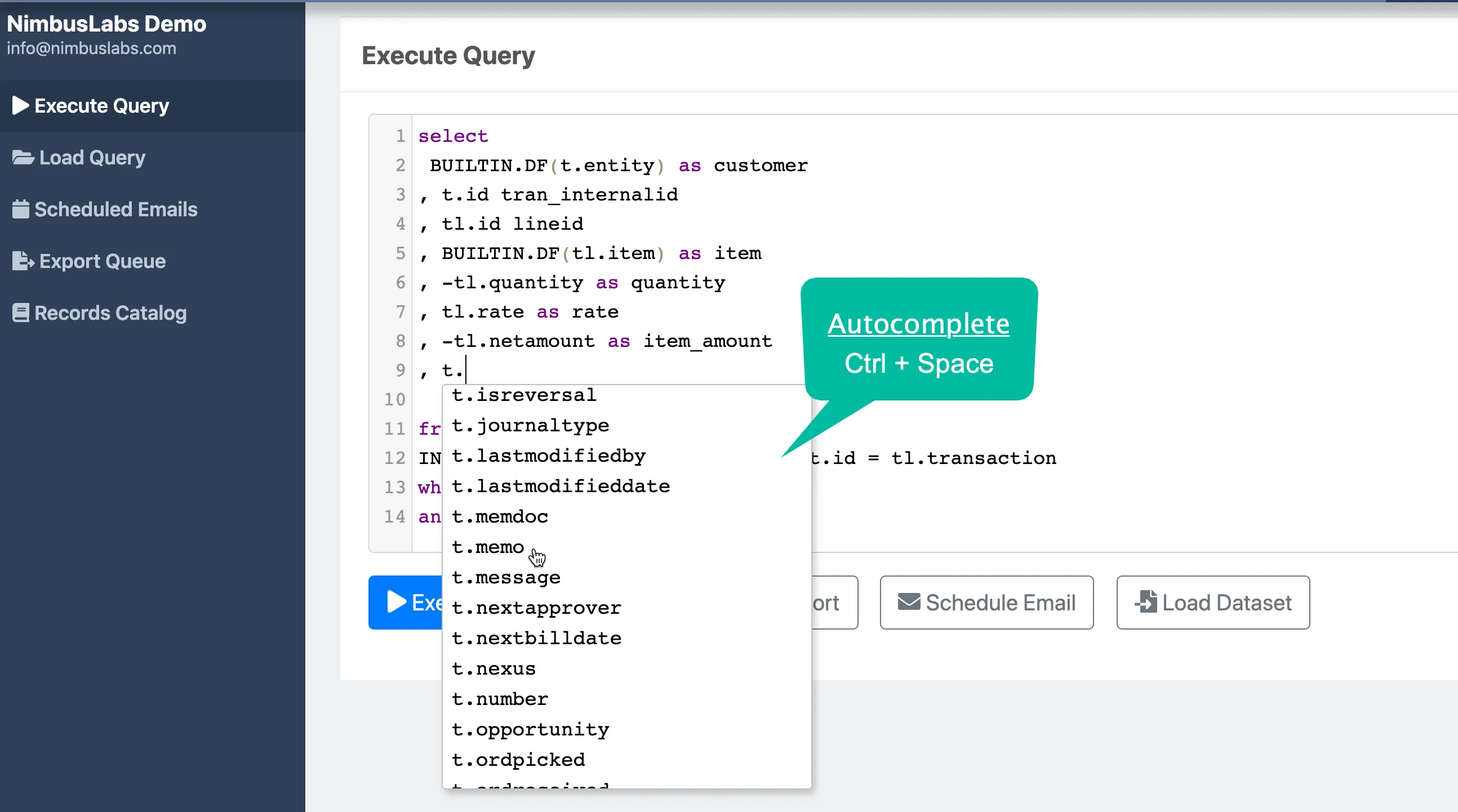
Section titled “Using Autocomplete”NimbusQL includes autocomplete functionality for all standard and custom record types.
- Press Ctrl + Space to activate autocomplete
- Autocomplete works for table names, field names, and keywords
- Table suggestions include a book icon that opens Schema Explorer on that record
Query Tips
Section titled “Query Tips”- Use standard SuiteQL syntax for all queries
- Multi-level joins are fully supported
- You can combine multiple datasets within the same query
- The Full version supports unlimited query results with no row limits