Release Notes
Release Notes 4.0.0
Section titled “Release Notes 4.0.0”Release Date 09/10/2026
| ID | Topic | Title | Type | Status | Version |
|---|---|---|---|---|---|
| 4.0.0 Release | NimbusQL 4.0.0 Release | SQL linting throughout the query and snippet editors with one-click autofixes and a Problems panel, smarter autocomplete suggestions, and reliability fixes across autocomplete, error messaging, and the UI | Enhancement | Completed | 4.0.0 |
| #5 | SQL Linting | Add SQL Linting to the Query Editor | Feature | Completed | 4.0.0 |
| #55 | Autocomplete | Fix Autocomplete Showing an Incomplete Table List When Triggered Too Early | Bug | Completed | 4.0.0 |
| #60 | SQL Linting | Add Linting for GROUP BY and Aggregate Correctness | Feature | Completed | 4.0.0 |
| #61 | SQL Linting | Add One-Click Autofix for SQL Lint Warnings | Feature | Completed | 4.0.0 |
| #62 | Snippets | Add Linting to the Snippet Editor | Feature | Completed | 4.0.0 |
| #64 | SQL Linting | Add Linting for Clause Ordering, Commas, and Dangling Operators | Feature | Completed | 4.0.0 |
| #69 | Testing | Audit and Document the SQL Linting Test Suite | Task | Completed | 4.0.0 |
| #71 | Query Editor | Add a Problems Panel to the Query Editor for Lint Results | Feature | Completed | 4.0.0 |
| #72 | SQL Linting | Suggest the Correct Field When SuiteQL Rejects One | Feature | Completed | 4.0.0 |
| #76 | Testing | Add Automated Checks to Catch Out-of-Date Lint Test Data | Task | Completed | 4.0.0 |
| #77 | Testing | Automate SQL Linting Verification Checks | Task | Completed | 4.0.0 |
| #80 | SQL Linting | Fix Misleading Guidance in the Unavailable-Field Error Message | Bug | Completed | 4.0.0 |
| #83 | SQL Linting | Fix Lint Autofix Grouping with Undo | Bug | Completed | 4.0.0 |
| #84 | SQL Linting | Improve Error Messaging for Misspelled Qualified Columns | Feature | Completed | 4.0.0 |
| #85 | Autocomplete | Filter Qualified Completions to Available Fields | Feature | Completed | 4.0.0 |
| #89 | Autocomplete | Fix Autocomplete Truncating Column Lists on Wide Tables | Bug | Completed | 4.0.0 |
| #90 | Autocomplete | Suggest the Correct Alias When a Qualifier Is Unrecognized | Feature | Completed | 4.0.0 |
| #91 | Records Catalog | Remove an Unused Records Catalog Detail Path | Task | Completed | 4.0.0 |
| #92 | Autocomplete | Fix Missing Indicator When the Table List Loads in Pages | Bug | Completed | 4.0.0 |
| #67 | Load Query | Fix Query Column Display on the Load Page | Bug | Completed | 4.0.0 |
| #102 | User Interface | Fix Z-Index Display Issues Across the UI | Bug | Completed | 4.0.0 |
| #111 | Support Center | Add New URL Redirects | Task | Completed | 4.0.0 |
Release Notes 3.0.0
Section titled “Release Notes 3.0.0”Release Date 09/03/2026
| ID | Topic | Title | Type | Status | Version |
|---|---|---|---|---|---|
| 3.0.0 Release | NimbusQL 3.0.0 Release | Snippets, Schema Explorer, Query History, Quick Save, persistent drafts, schema cache settings, library upgrades, support docs, test coverage, and reliability fixes | Enhancement | Completed | 3.0.0 |
| #1 | Query Loading | Query Load Race Condition | Bug | Completed | 3.0.0 |
| #3 | Snippets | Snippets Functionality and Highlighted Query Toolbar | Feature | Completed | 3.0.0 |
| #7 | Analytics and Tooling | Remove Google Analytics, Fix Environment Detection, and Clean Up Tooling and Docs | Task | Completed | 3.0.0 |
| #9 | Schema Explorer | In-App Schema Explorer | Feature | Completed | 3.0.0 |
| #6 | Query Persistence | Replace Cookies with Browser Local Storage for Query Data | Enhancement | Completed | 3.0.0 |
| #11 | Query Drafts | Persist Unsaved Query Edits and Parameter Changes | Feature | Completed | 3.0.0 |
| #17 | Exports and Scheduling | Standardize Script and Parameter Names for Export and Schedule | Task | Completed | 3.0.0 |
| #21 | Version Display | Show friendly version numbers and release notes, and support SRI attributes on URL includes | Enhancement | Completed | 3.0.0 |
| #23 | Snippets | Snippets icon | Enhancement | Completed | 3.0.0 |
| #26 | Query History | Query History Log | Feature | Completed | 3.0.0 |
| #28 | Schema Explorer | Schema Browser Overlay | Enhancement | Completed | 3.0.0 |
| #20 | Front-End Libraries | Load vendored front-end libraries from a CDN | Task | Completed | 3.0.0 |
| #32 | Support Center | Redirects for NimbusQL Support Center | Task | Completed | 3.0.0 |
| #15 | Records Catalog | Complete the Records Catalog harvest and cache it | Feature | Completed | 3.0.0 |
| #39 | User Interface | UI Fixes | Bug | Completed | 3.0.0 |
| #41 | Query Saving | Quick Save Button | Feature | Completed | 3.0.0 |
| #34 | Testing | Follow-ups from the functional test suite | Task | Completed | 3.0.0 |
| #43 | Load Query | Load Query Date Sorting | Bug | Completed | 3.0.0 |
| #25 | Query Restore | Restore Function Bug After Saving | Bug | Completed | 3.0.0 |
| #36 | Saved Queries | Free a deleted query’s name for reuse | Bug | Completed | 3.0.0 |
| #38 | Schema Cache | Make the schema cache lifetime a setting, and allow a manual rebuild | Feature | Completed | 3.0.0 |
| #49 | UI Framework | Upgrade Bootstrap 4.5.3 to 5.3.8 | Task | Completed | 3.0.0 |
| #50 | Data Tables | Upgrade DataTables 1.10.22 to 3.0.3 | Task | Completed | 3.0.0 |
| #53 | Query Editor | Upgrade CodeMirror 5.61.0 to CodeMirror 6 | Task | Completed | 3.0.0 |
| #54 | Export Queue | Survive an export being deleted while it builds | Bug | Completed | 3.0.0 |
Release Notes 2.0.0
Section titled “Release Notes 2.0.0”Release Date September 2024
New Features
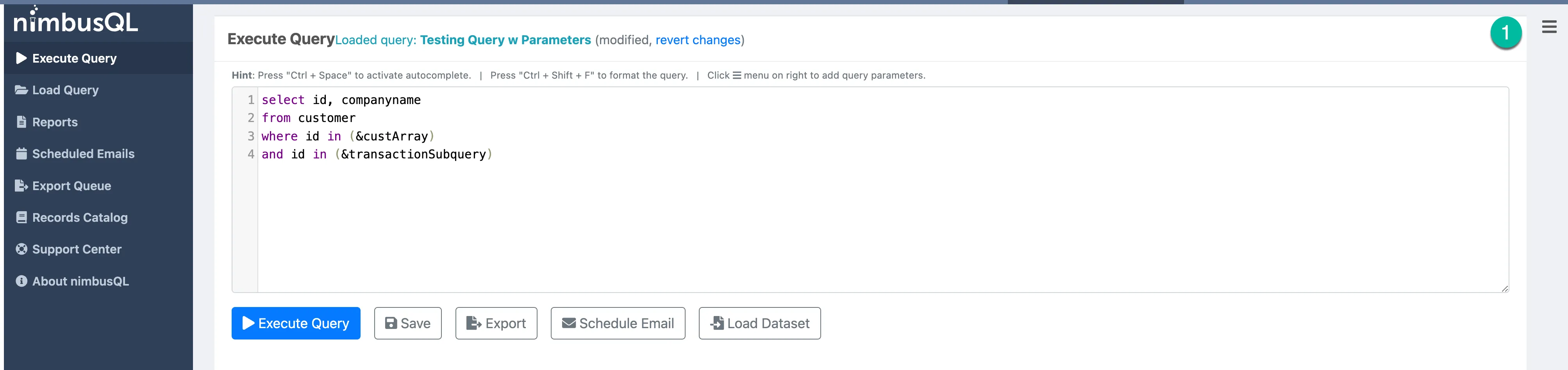
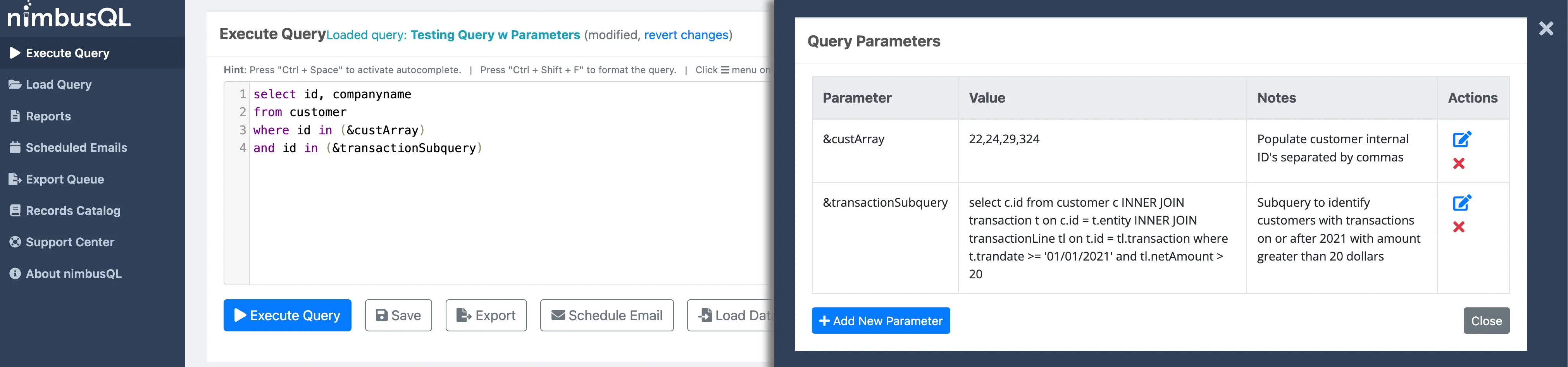
- Query Parameters — Define parameters at the top of your query and reference them throughout. A menu is provided to set parameter values before executing.
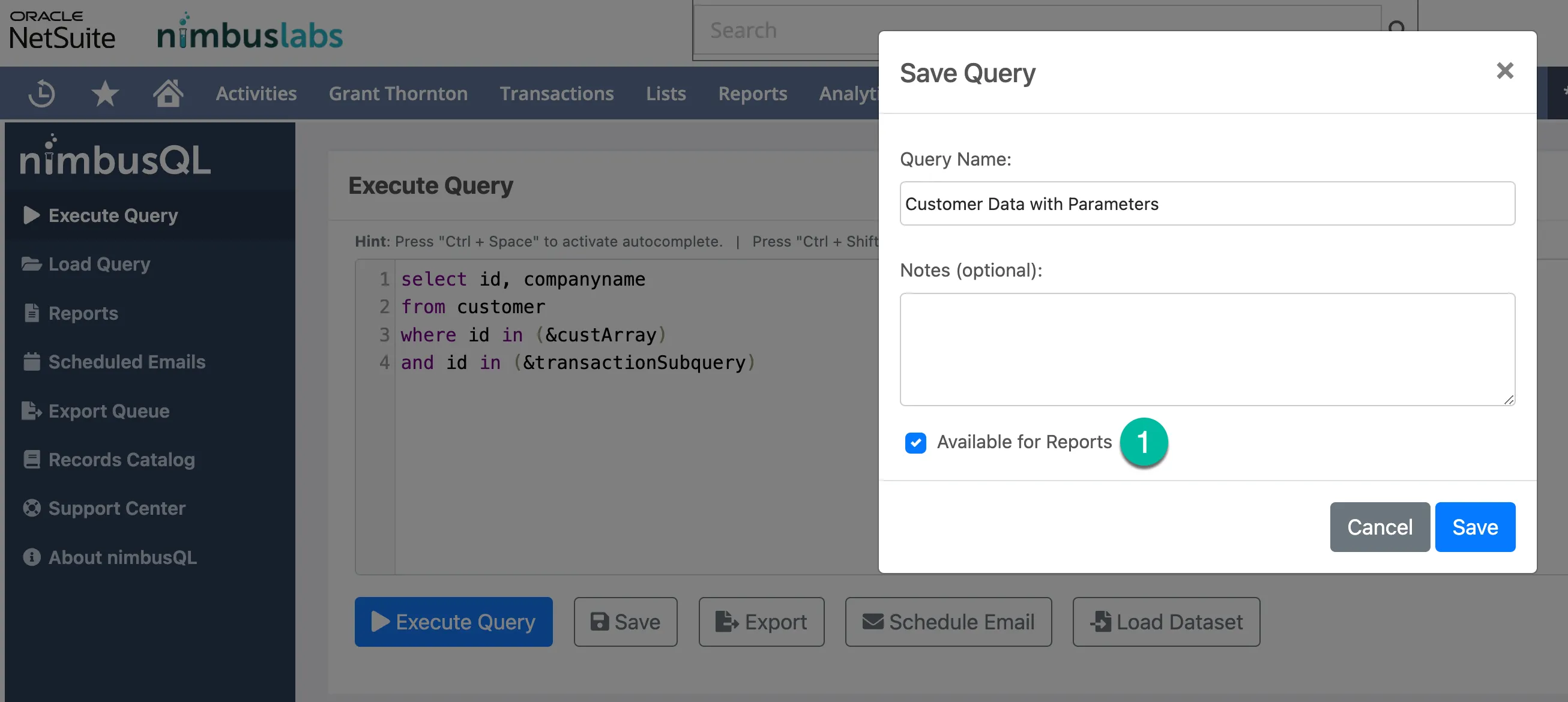
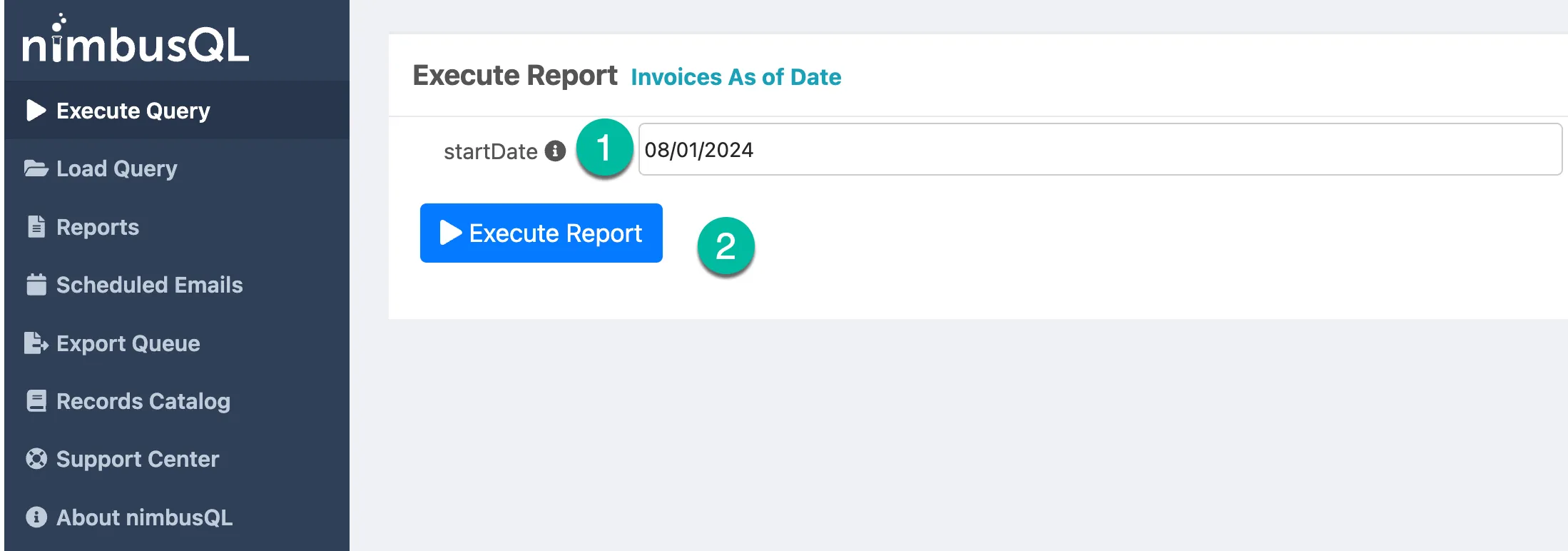
- Save as Report — Save your query as a NetSuite Report for use in other areas of NetSuite.
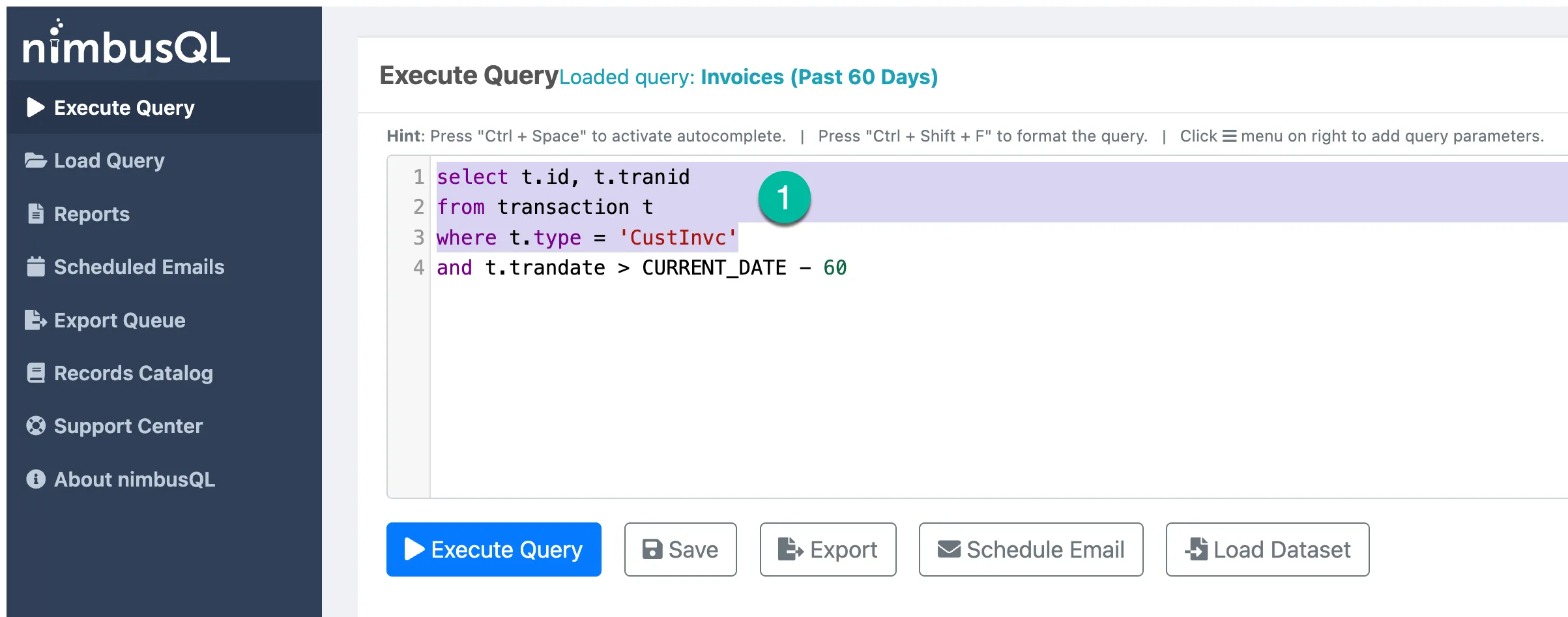
- Highlight Query Text — Highlight a portion of your query and execute only the highlighted section.
Release Notes 1.8.0
Section titled “Release Notes 1.8.0”Release Date December 2023
New Features
- Load Dataset — Load an existing NetSuite Analytics Dataset as the data source for a query or scheduled email
- JSON Export — Export query results in JSON format in addition to CSV
Release Notes 1.7.0
Section titled “Release Notes 1.7.0”Release Date April 2023
New Features
- Autocomplete — Ctrl + Space activates autocomplete for table names, field names, and SuiteQL keywords
Release Notes 1.6.0
Section titled “Release Notes 1.6.0”Release Date November 2022
New Features
- Multi-tab support — Open and work with multiple queries simultaneously in separate tabs
Release Notes 1.5.0
Section titled “Release Notes 1.5.0”Release Date June 2022
New Features
- Scheduled Email improvements — Added support for monthly scheduling cadence and external email recipients
Release Notes 1.4.0
Section titled “Release Notes 1.4.0”Release Date January 2022
New Features
- Export Queue — All exports are now queued and retained for 90 days for re-download
Release Notes 1.2.0
Section titled “Release Notes 1.2.0”Release Date August 2021
New Features
- Save and Load Queries — Save queries with name and description, filter by user, search by keyword
Release Notes 0.1.0
Section titled “Release Notes 0.1.0”Release Date February 2021
Initial Release
- Write Query screen with SuiteQL syntax support
- Multi-level join support
- Basic CSV export