Save and Load Queries
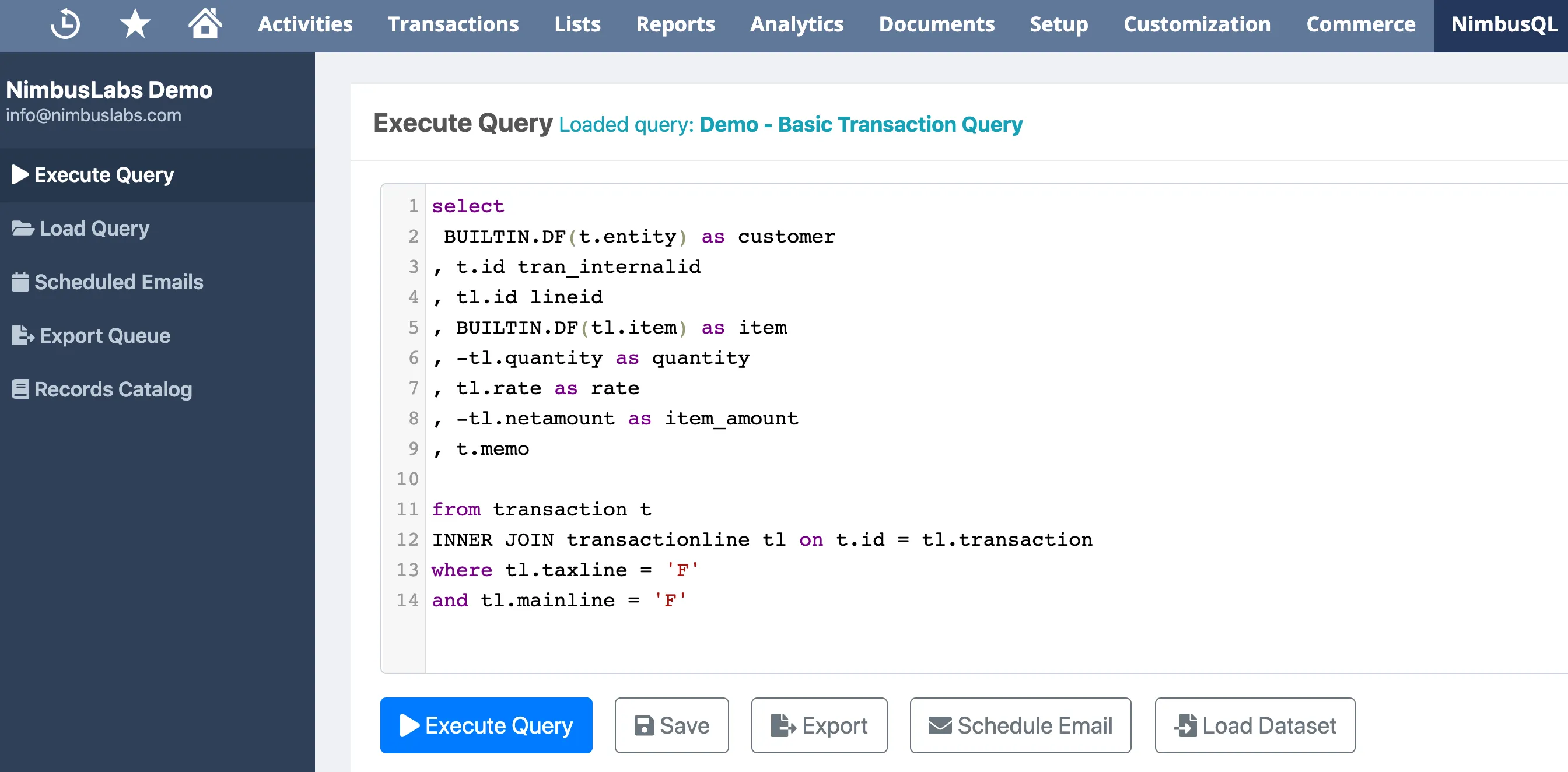
NimbusQL allows you to save queries with a name and description, then load them back instantly for future use.
Saving a Query
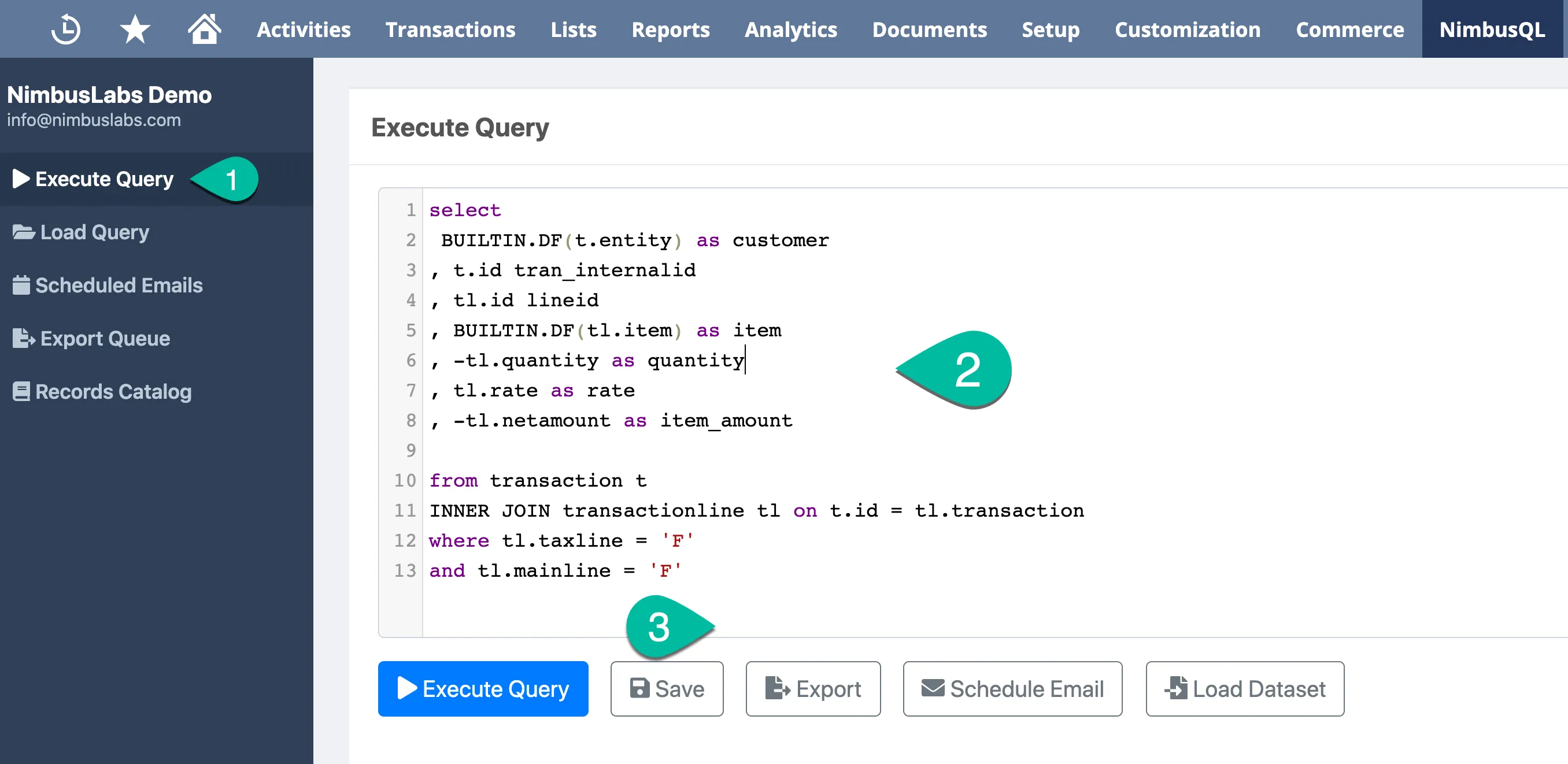
Section titled “Saving a Query”- Write or execute your query in the Write Query screen
- Click the Save button
- Enter a name and description for your query in the Save dialog
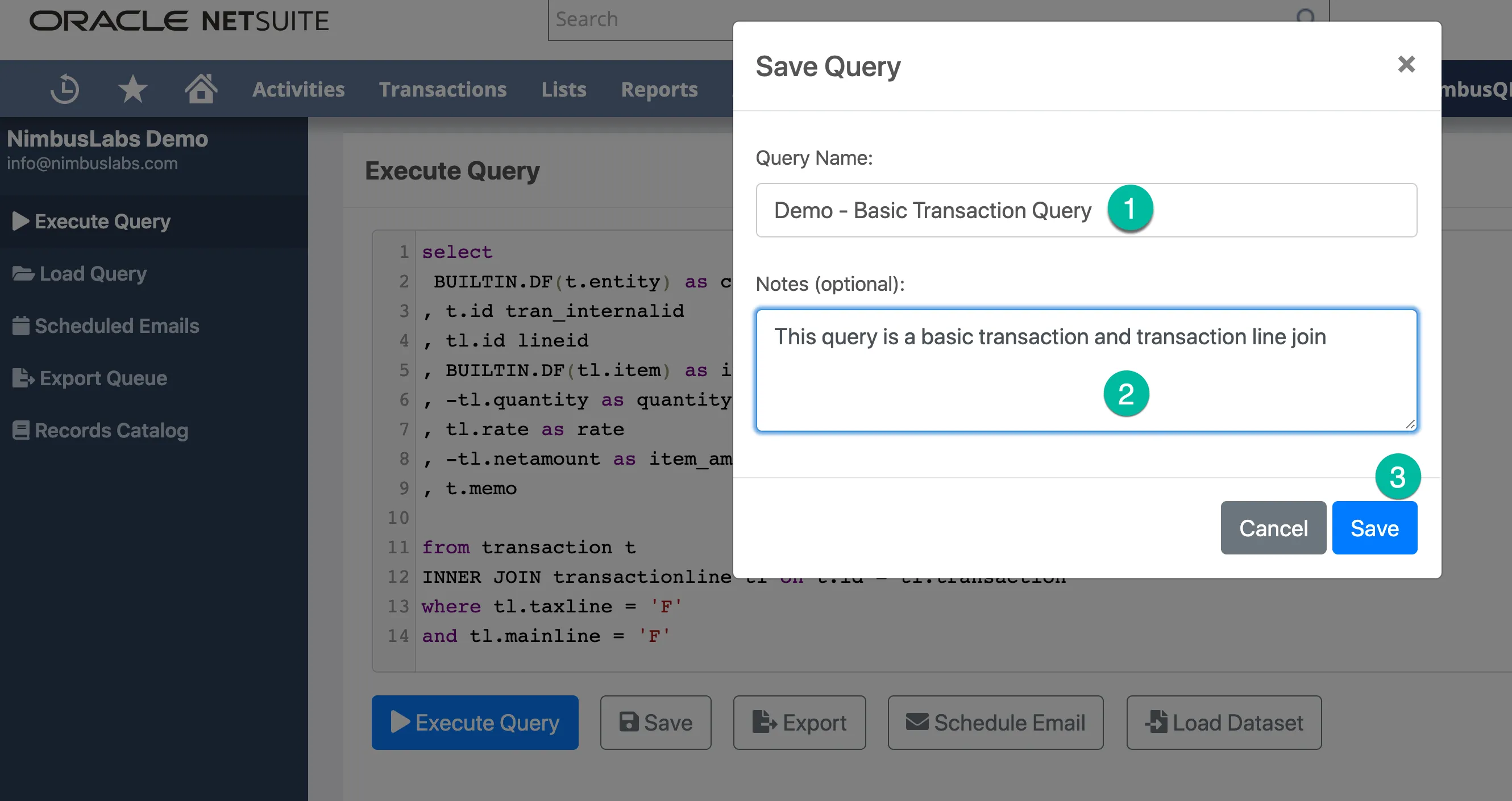
- Click Save to confirm
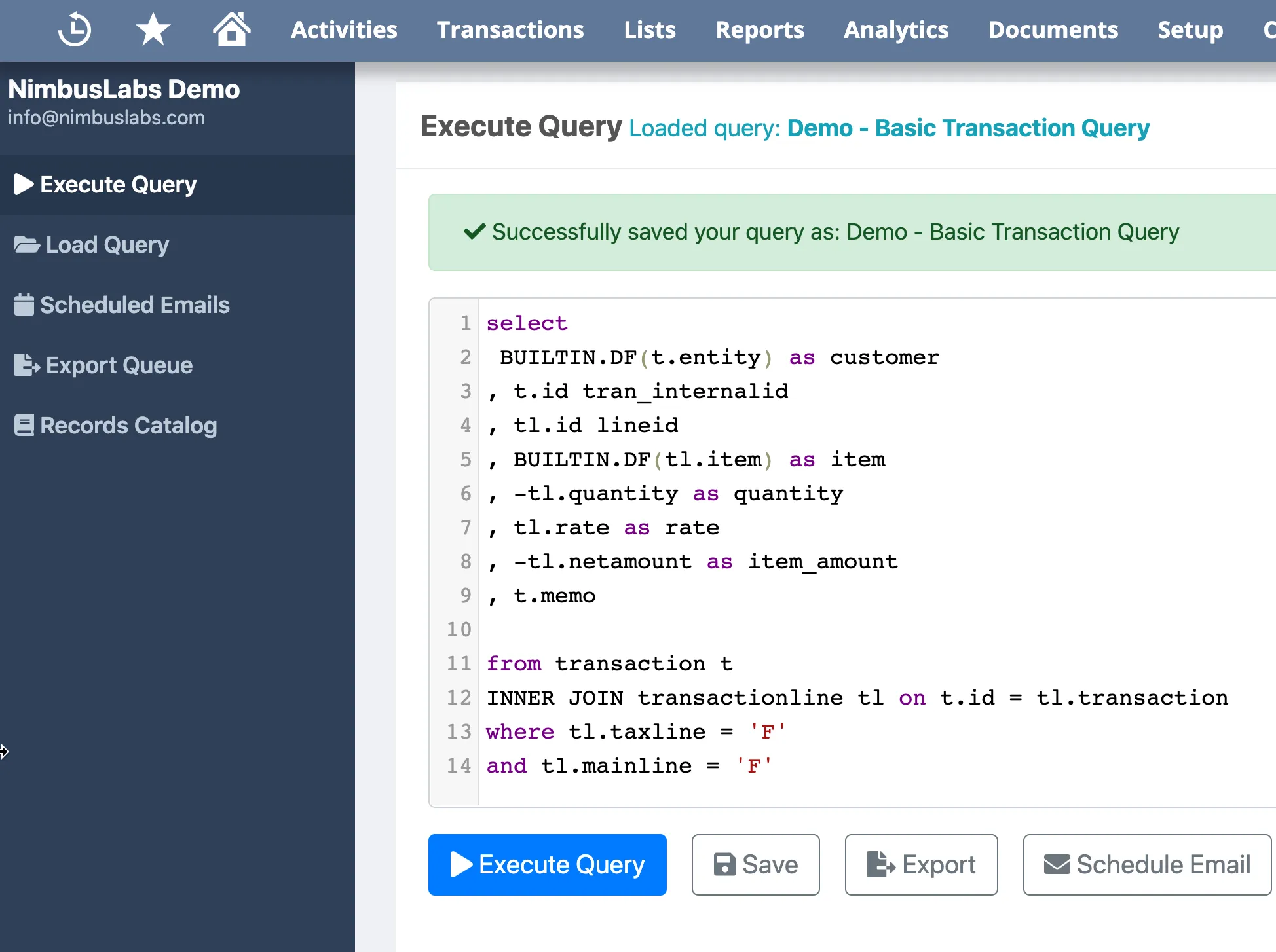
Loading a Query
Section titled “Loading a Query”- Click the Load button in the Write Query screen
- Browse or search your saved queries
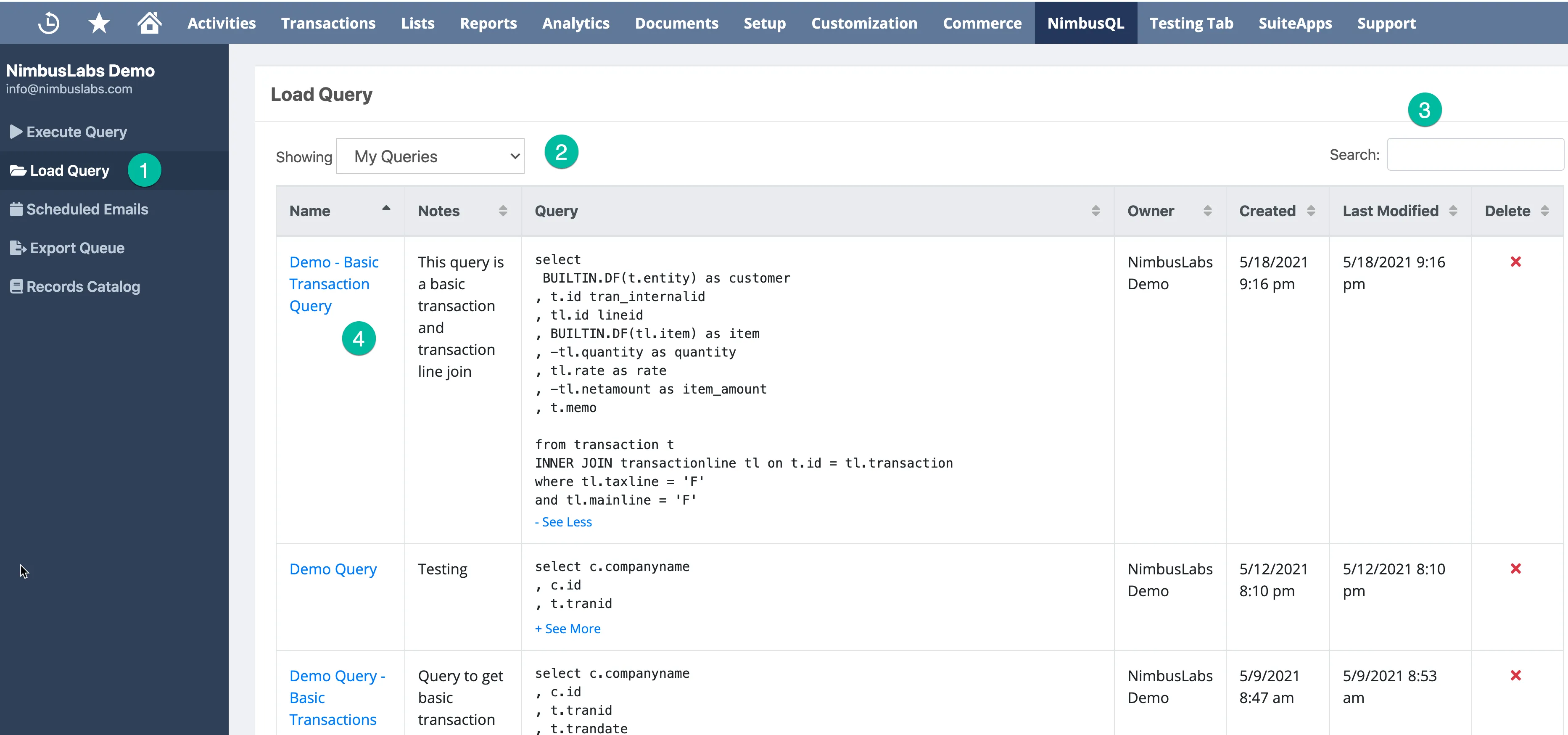
- Click on a query to select it
- Click Execute to run the loaded query
Managing Saved Queries
Section titled “Managing Saved Queries”- Filter saved queries by user using the filter options
- Search by keyword to find specific queries
- Saved queries are available to all users with NimbusQL access