Export Query Results
NimbusQL allows you to export query results to CSV or JSON formats. All exports are queued and retained for 90 days.
Exporting Results
Section titled “Exporting Results”Step 1: Execute Your Query
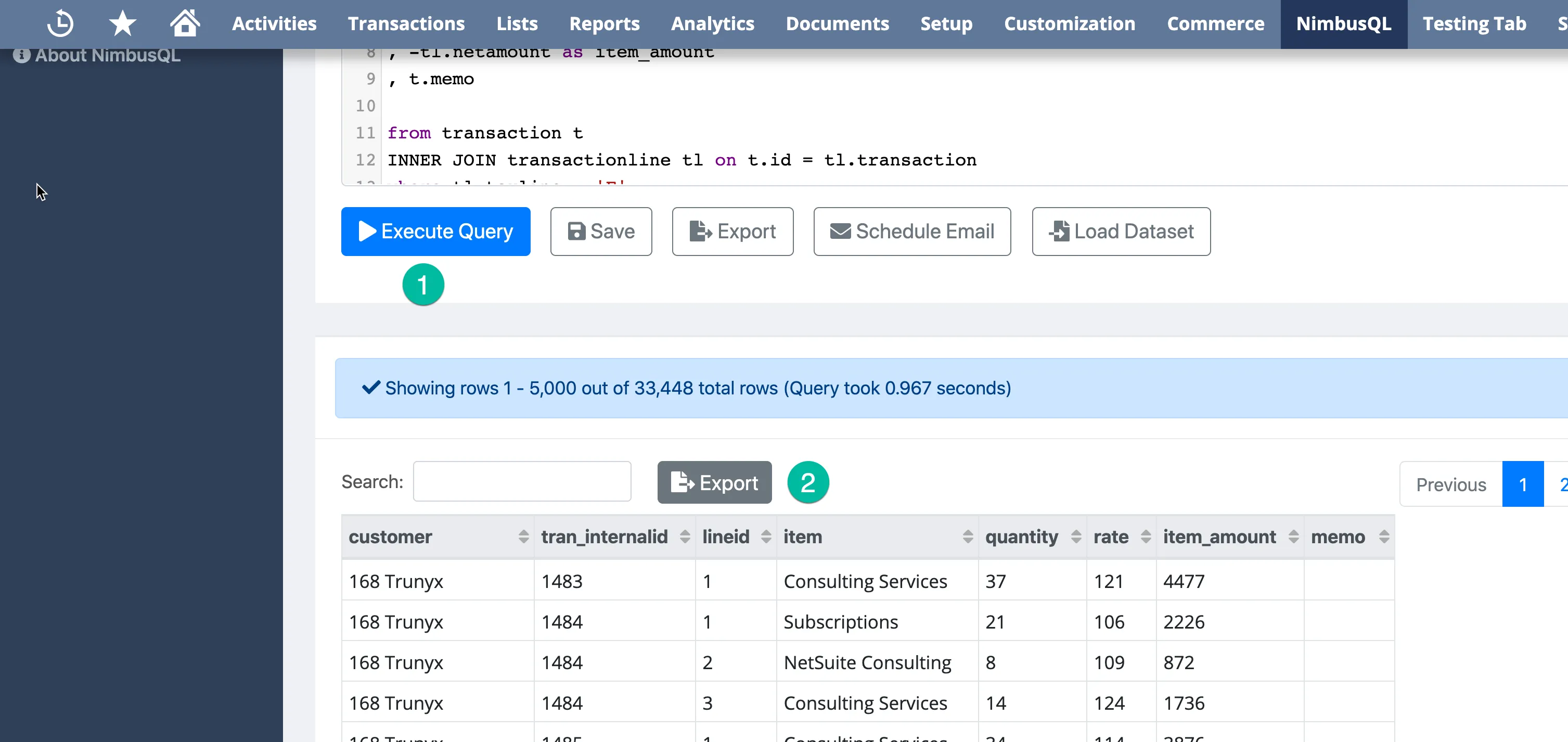
Section titled “Step 1: Execute Your Query”Run your query in the Write Query screen to generate results.
Step 2: Open Export Options
Section titled “Step 2: Open Export Options”Click the Export button in the results panel.
Step 3: Select Export Format
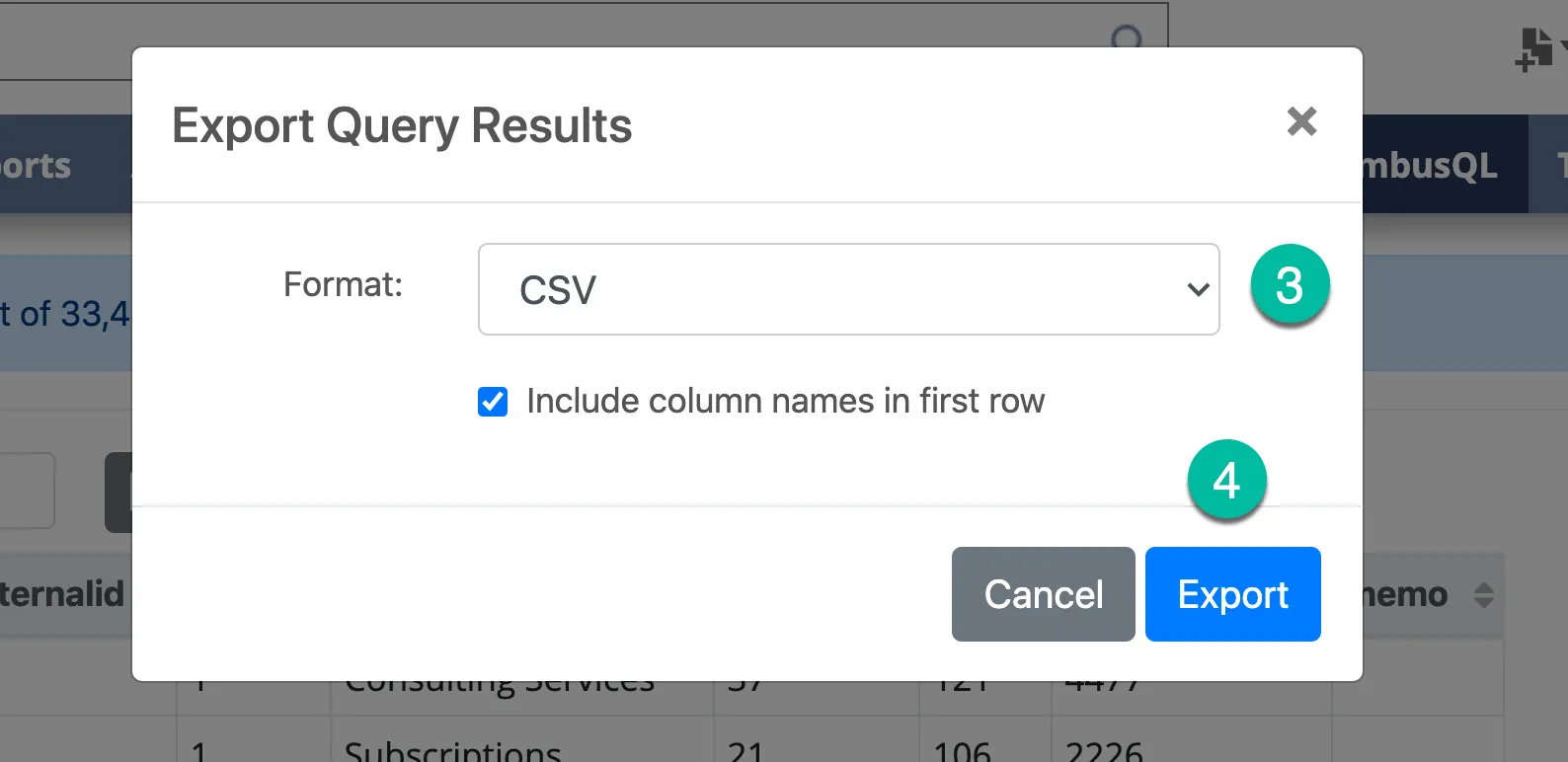
Section titled “Step 3: Select Export Format”Choose your preferred export format:
- CSV with headers — includes column names in the first row
- CSV without headers — data only, no column names
- JSON — structured JSON format
Step 4: Queue the Export
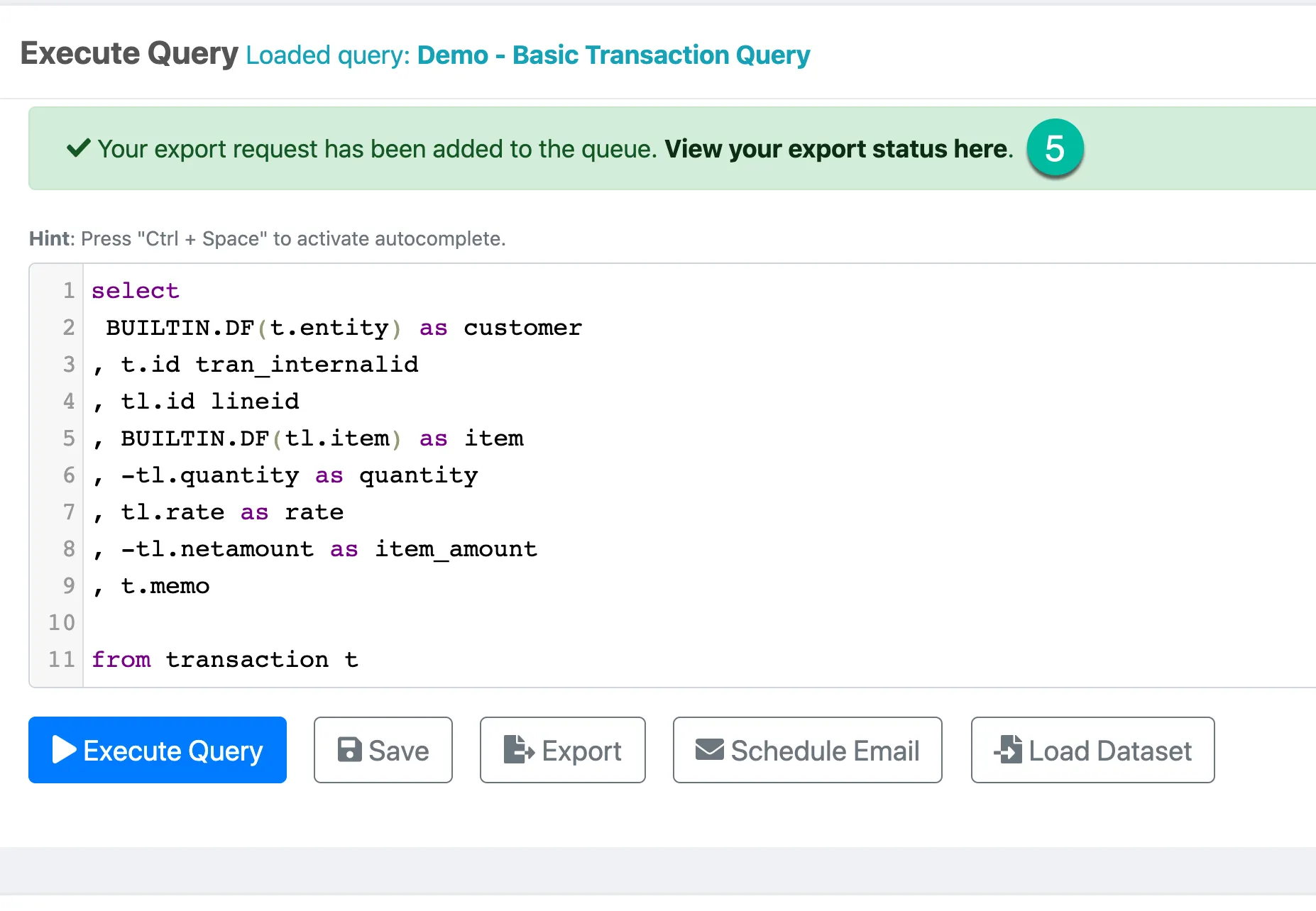
Section titled “Step 4: Queue the Export”Click Export to queue your export. Large exports may take a moment to process.
Step 5: Download the Export
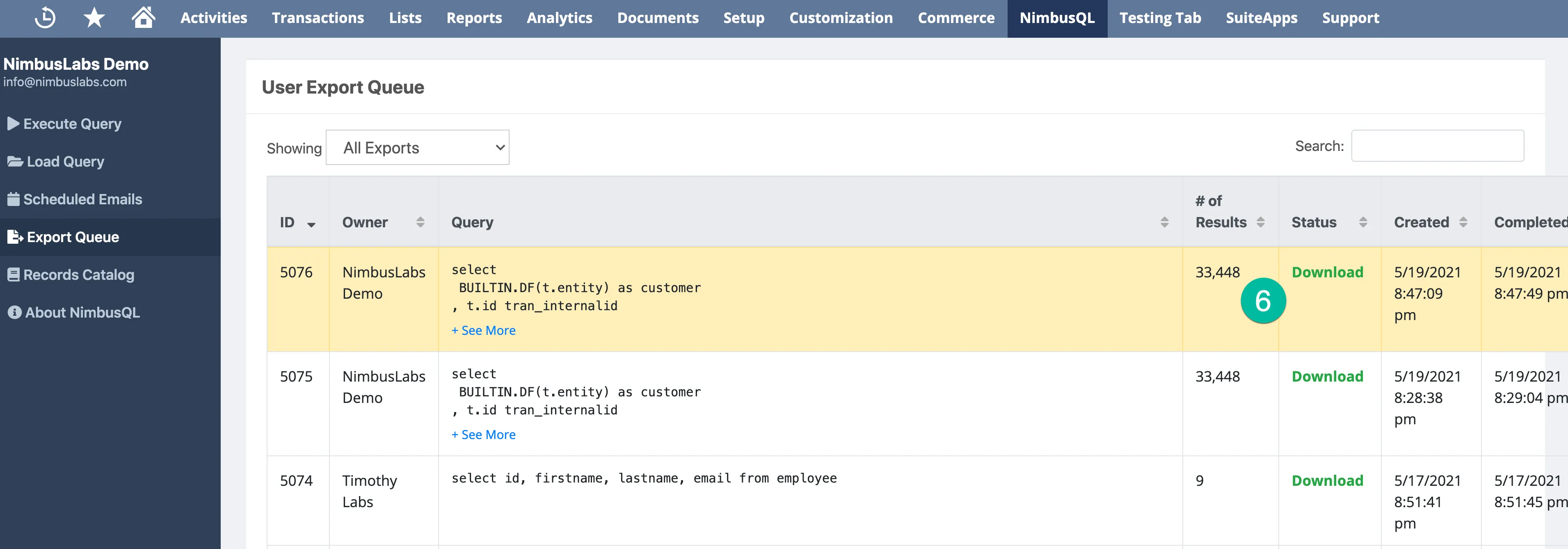
Section titled “Step 5: Download the Export”Once processed, your export will be available to download. Exports are retained for 90 days.
Export Notes
Section titled “Export Notes”- All exports are queued and processed in the background
- Previous exports are retained for 90 days and can be re-downloaded
- The Full version supports unlimited exported rows
- The Free version is limited to 100 exported rows